
Date: Dec 23, 2016
For some strange reason, if you wanted use Microsoft Outlook to read your apple email, i.e.
user@me.com or user@icloud.com
You might get this error message.
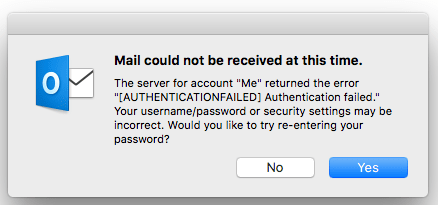
But you are sure you have key in the correct Apple ID or Apple email password. This has something to do with the two-factor password security features apple introduced.
So, not to worry, do the following.

Key in your email user ID (usually Apple ID) and the correct Apple ID password.

So, Apple ID will want you to get a verification code from another Apple device, i.e. another iMac, another iPad, iPhone, etc etc.

To save time, just click on “Did not get a verification code?”
And then select “Text Me”.

Then, you receive Apple ID verification code. (the last one, latest one)

For example, 819 439
So, key that into the Two Factor Authentication Page.
Scroll down to select “Generate Password…” for App-Specific Passwords.

Then, a password is generated.

so, instead of key in the Apple ID password, you use this password for your OUTLOOK email account settings.
Then, you are able to receive emails on the Microsoft Outlook application on your iMac or Macbook.
For almost few months I have been getting problem receiving my Apple emails and finally solve it by Google it. 🙂
Thanks – helped a lot!!